Review: The Nokia 5800 XpressMusic
I’ve had the pleasure of using as my second phone, the Nokia 5800 XpressMusic, for the last month or so. Let’s take this mostly step-by-step, and this should generally be pretty darn lengthy. If you’re interested, check out the tech specs, and this is broken up into: The phone, the screen, the camera, connectivity, music, video and other multimedia bits (I can highly recommend reading this part), software, conclusion and other thoughts. And I’m told that I shouldn’t compare this with the iPhone, but its hard not to.
The phone
The phone is plastic-based, so if you’re used to the E-series devices (like the E71, E61i, etc), its not quite metal on the back. The back of the phone, is actually similar in feeling to the N73. So it does seem a little flimsy — but you won’t be opening the back cover unless you want to change batteries or remove the SIM card. No one changes batteries any longer (I remember a time when we used to have at least two batteries :)), and SIM card changes tend to be very rare, so I guess this isn’t really a large problem. The battery life seems to be pretty useful – a good day is not a problem, even with music playback.
 The first snag I found with this phone was related to the SIM card. Typically one inserts the SIM card, and then inserts the battery. Once you open it, you’ll realise that the SIM card fits in by the side, and you’ve got to make use of the stylus to push it out, if need be. This design seemed unintuitive, and took a bit of time to get used to. If I were a first time user, it would have been OK — I’d have followed the instructions at the back of the cover. However, I’ve been using Nokia phones for over twelve years, so, I found it unintuitive.
The introduction of a “Keyguard switch” is pretty cool. Locking and unlocking the phone, is now dead easy – there’s a button, just swipe it down, on the right hand side of the phone, and its either locked or unlocked. One button phone locks/unlocks are way better! This is a marked improvement.
It comes standard with an 8GB microSD card! That’s a ridiculous amount of data, for a tiny phone. They should have clearly built a USB dongle (there is a micro-USB port, but you still need a cable), which pops out, and allows you to use it as a thumb drive. One device less, for data-on-the-go, makes so much sense, no? Video cameras are doing it (Flipcam, Kodak’s Zi6, Creative Vado’s), why not mobile phones?
 Oh, while the power button has always been at the top of the phone, why is the charger also located at the top?!? In fact, the micro-USB port, as well as the AV connector, is located at the top — I’d have preferred this to be at the bottom of the phone, which seems to be a lot more standard.
The software is that of the Series 60, 5th Edition. Lots of changes, have come, but keep this in mind, when you’re downloading third-party software applications. Not everything is compatible…
The screen
This is pretty cool. Its a 3.2″ widescreen display, and when its held horizontally, you’re seeing 640×360 pixels. This is a 16:9 ratio, and the colours are just amazing. Don’t forget that it comes with an orientation sensor, so the display changes as and when you turn it around (very similar to the iPhone).
 Its a touch screen, and you’re expected to be able to use it with one hand, and you can use your fingers. However, its not so fancy — once you’ve used the iPod Touch or the iPhone, you’ll slowly realise that the touch screen isn’t all that.
Why? The touch screen is resistive, not capacitive, which means that a “click” is only registered when two thin layers of the screen get pushed together under the pressure from my finger (or stylus). AFAIK, the iPhone uses something called “projected capacitive” screens, and you don’t need actual contact (and it works well for multi-touch).
The phone comes with a stylus (reminds me of the days when I was still using Palm handhelds), and I’ve never actually used a phone with one. You’ll be using the stylus a lot — I found that my fingers didn’t really work well with the screen. It turns out there’s a reason for the stylus — Chinese input. I never thought about this, because all I seem to care about is the input of the English language, but it does make a lot of sense.
Because its a touch screen based interface, the interface differs from other Nokia’s. But its not that much different, and its easy to get worked around. Note that you’ll be dialling on the screen, you’ll be “typing” on the screen (the stylus comes in real handy here), and if you’ve used a phone with a keyboard, you’ll miss that. But if you’re a first time user, or in the target market, you’ll be fine.
The camera
A 3.2 megapixel camera, churning out images at 2048×1536 pixels, which also comes with an LED flash light. How are the pictures? Comparable to the E71, but not as good as the Nokia N96. Simply put, its tolerable — I’d use it, but it won’t be replacing my camera, anytime soon. Its got good pocket camera qualities, if you decide to carry one device less.
You can also record video – 640×480 pixels, 30fps, so its good enough for TV playback (take that you iPhone users!). The more memory you have, the better, clearly, but with a whopping 8GB, you should be fine. It also comes with a camera in front for video calls, so will really benefit from being on a 3G network (currently, that’s just Maxis and Celcom that support it). I only mention this, because modern phones like the iPhone, also don’t come with video calling features just yet — so you don’t even need the 3G network in theory, EDGE is fine.
I tried streaming with it, to Qik. It looks OK (I couldn’t notice any difference with my E71). I was hoping to see this in the “Download!” folder itself, but I never saw that. In fact, seeing some applications selling for “MYR 5”, sounds like it costs RM5/application.
Connectivity
The phone comes with Bluetooth and WiFi. It works out of the box, as expected. It wasn’t obvious that it had WiFi though — had to go poking through Settings (OK, it would come up, if you searched for it, via anything that required Internet access).
*#2820# doesn’t work, to tell me the Bluetooth MAC address. Weird? With regards to WiFi, the standard *#62209526# works, and this will give you the MAC address of the WiFi adapter, so that you can filter it at your router, if required.
There is an A-GPS, so you’ll need some form of network connectivity. It comes with Nokia Maps, something I’d rather not pay for or use — go get Google Maps, its free *grin*.
Music, video, and other multimedia bits
I think this is where the phone shines. Its multimedia abilities. My interest with this phone was piqued when I read about comes with music. I had wondered about this, earlier this year, and found out that you still didn’t quite get “comes with music” here in Malaysia, despite the fact that you get 1,000 DRM-free, free of cost songs with this phone.
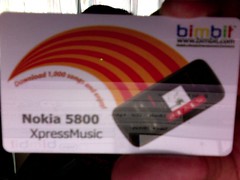 However, its provided via a service called bimbit. bimbit is kind of interesting — its like the iTunes Music Store for Malaysia. Its not well publicised, but it does come with either MP3 access or WMA access. They work on a points based system, and to get a song from a popular artiste (say, Jason Mraz), you’ll be paying about “38 points”, per song. 12 points work out to be RM1, so every song really costs a little over RM3.
They have subscription plans, in where you pay RM360 to get 12 months worth of music (4,600 points, not unlimited), and you an also buy reloads, at various different values, but the bottom line is that Nokia Malaysia, is paying bimbit over RM2,900+ of value, everytime they sell one Nokia 5800 XpressMusic. No one is in the charity business, so I wonder what kind of deal Nokia and bimbit have struck.
<aside>If you’re using bimbit, might I caution you that you better back your multimedia up. They don’t endeavour to give you your download back again, so if you change device, keep copies around. In fact, keep copies around elsewhere, so if you’re on a Mac, back it up with Time Machine. Put it in the cloud. Whatever. </aside>
The built-in speaker is nifty – stereo speakers with surround sound, and the quality of the music coming out of it, is simply amazing. I don’t need my headset to listen to music, so I can literally broadcast music from the speakers (and be really annoying, if I were waiting where there were lots of other people around me). What however did annoy me, is the fact that if you wanted to use the radio application, you needed the headset — music player doesn’t require it, but the radio does? Looks like a software error.
 Video playback is gorgeous. While the screen isn’t as big as what you’d see on an iPod Touch/iPhone, it certainly does provide enough clarity. The video that I recorded off the camera, isn’t as clear as you’d expect (but that’s a question of quality of the source), but if you load up something from bimbit or elsewhere (wherever you get your music videos from :-)), you’ll notice that its crisp, and clear. Millions of colours are being displayed, and the clarity, and contrast, is just amazing.
Software
SIP (for VoIP calls) isn’t built-in. I found this to be lacking, since most of the E-series devices come with this functionality. You can get it via installing third-party software, but, a built-in client would have rocked.
Bounce is a game that makes use of the touchscreen. Kind of useful. Its been a while since I’ve played with games on a mobile device — the last time I was excited by a game on a phone, it was the infamous Snake, and it was made more fun, when you could play with another player, via IR :)
There’s also some cool software, like Touch Guitar, Touch Piano, Touch Card Match, and the Talking Dictionary, which you can install for this phone. The S60blog has relevant links to all this software.
Conclusion and other thoughts
I should probably cover what else is in the box. It comes with a nice mini-CD (not full sized, which is cool, but doesn’t work on slot-loading drives, which is what you mostly get today), the headset, with an additional bit to get the music controls, a USB cable, a case, a spare stylus, AV cables, manuals, and the bimbit card to give you 1,000 free songs. There’s also a charger (which I didn’t use) — its one of the modern, smaller ones for Nokia phones (gone are the days where the charger used to be larger ;)).
Would I buy this phone? It doesn’t have a QWERTY keyboard, which I’ve got used to, for the last few generations of mobile phones that I’ve owned. It does break some design boundaries that Nokia phones traditionally had. It does come with 1,000 free songs, that I can download and carry on any device, I like. It does come with a huge amount of memory. It makes me wonder how cheap the phone actually is, to make!
So back to the question. Would I buy it? Not as a main phone, because of the lack of a keyboard (my use case suggests lots of email on the go, lots of typing up notes, and lots of surfing the Internet and heavy input into things like Twitter, and so on). Would I buy it for my seventeen year old cousin? Yes. Would I recommend it to my twenty one year old cousin? Definitely. Would I recommend it to my mom? Definitely, she could use a new device, to replace her ageing Series 40-based Nokia. I think, I could safely recommend this phone to anyone who’s not been infected with Blackberry-itis.
Gets a good 8/10, in my book.
(and boy, can’t I wait to see what else Nokia is bringing out — lots of cool stuff, look at the Nokie E75, N97, and more, all coming soon, all looking rocking.)
Disclosure: All this thanks to David Lian, from Text100 (they get it – nobody should be reviewing a device, just by looking at it — a good review happens after using it, on a daily basis, for some period of time — only then do you get the quirks, et al). I write this, as its almost time to give back the review unit (I just kept it in a draft folder, adding in more text, over time, so I do hope its not too haphazard). I’ve had quite the experience using the phone.
 but at USD$229, I thought I would give it a pass. After all, I only purchased the Creative Vado for a mere USD$65.85 (list price: $99.99). OK, I picked up a pink version, saving me $14.10 from the silver model, but who cares?

